
Features
These are screenshots of the real Optana app with a fake business, Demo Plumbing Co. No customer data. Setup is a short path through this dashboard. After that, Plan & pricing is one page: call options, texting, and add-ons, with a live total. Presets are starting points. You can change every piece.
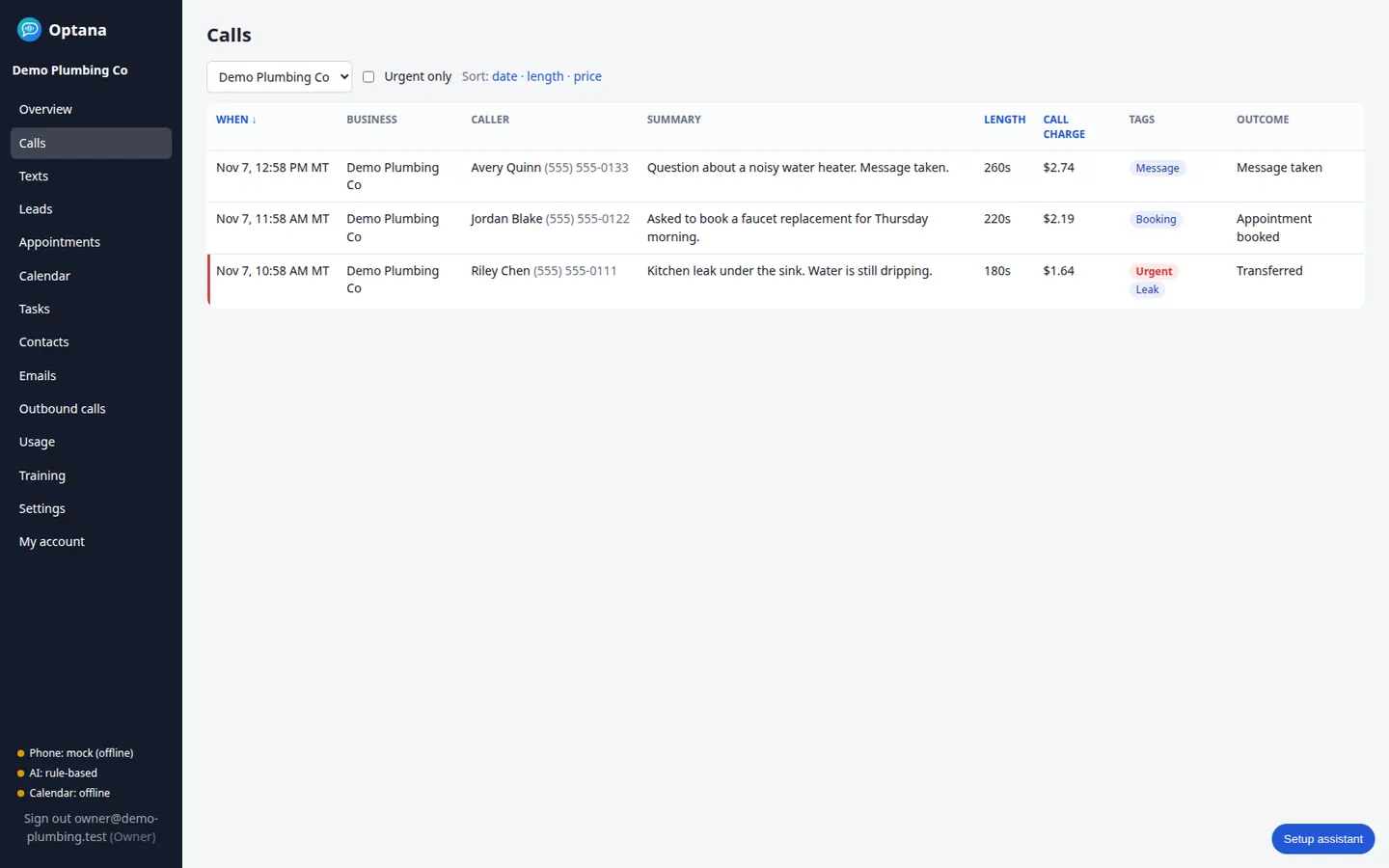
Every answered call lands in one list: who called, the summary, and how it ended.
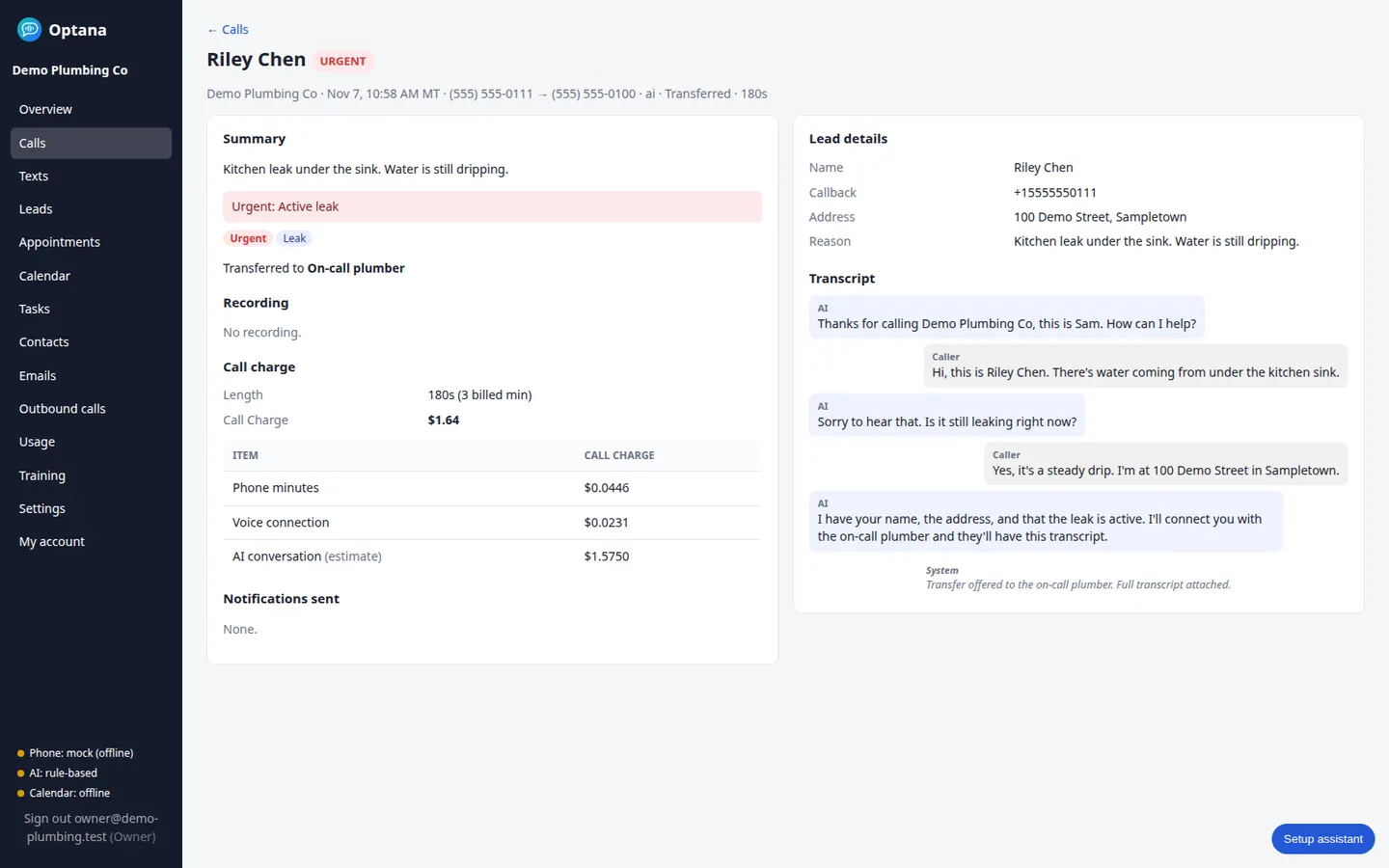
Open a call for the summary and the full transcript. Recordings are an add-on on this same page when you turn them on.
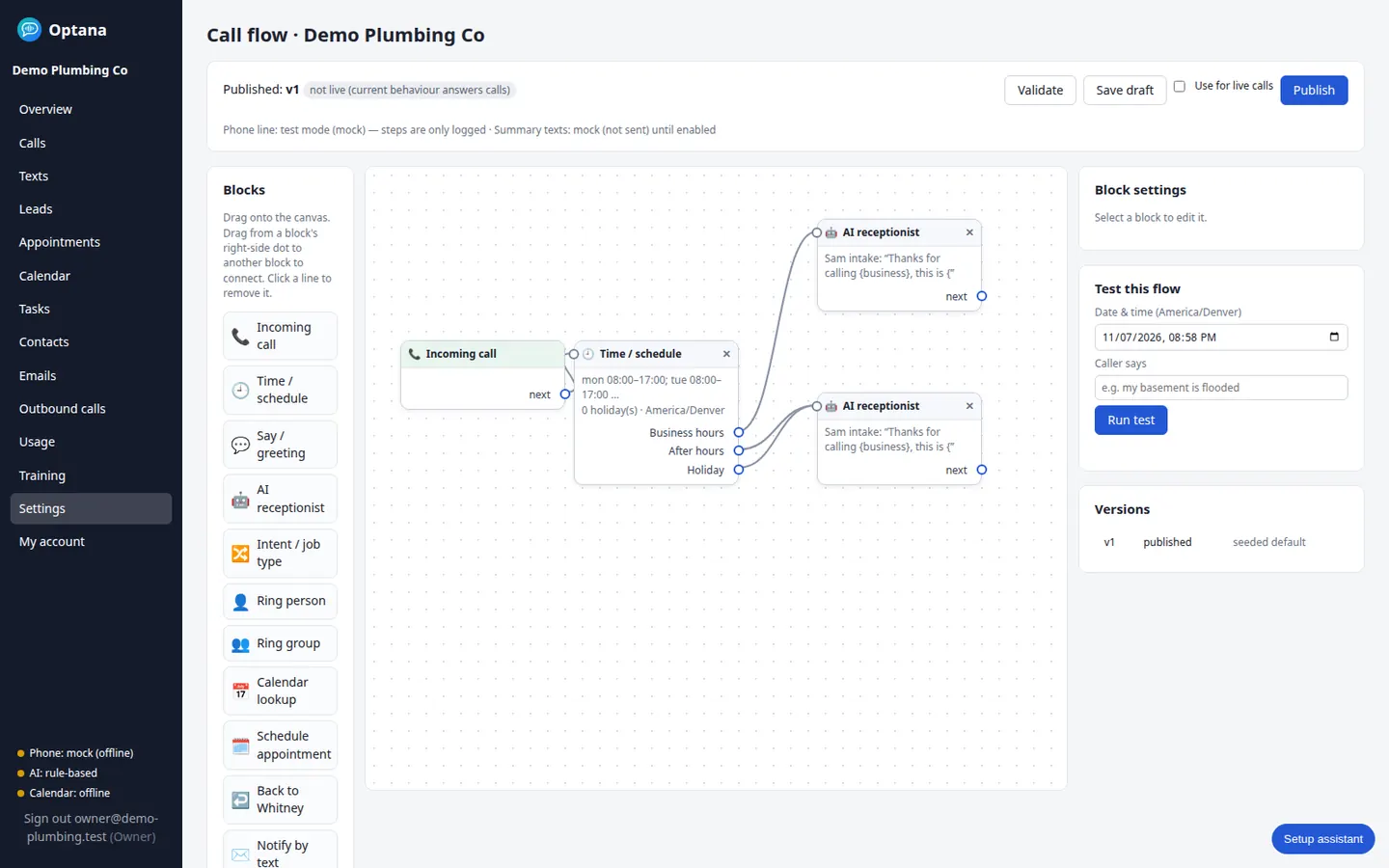
Hours, the receptionist, and what happens next. Publish when you want live calls to follow the drawing.
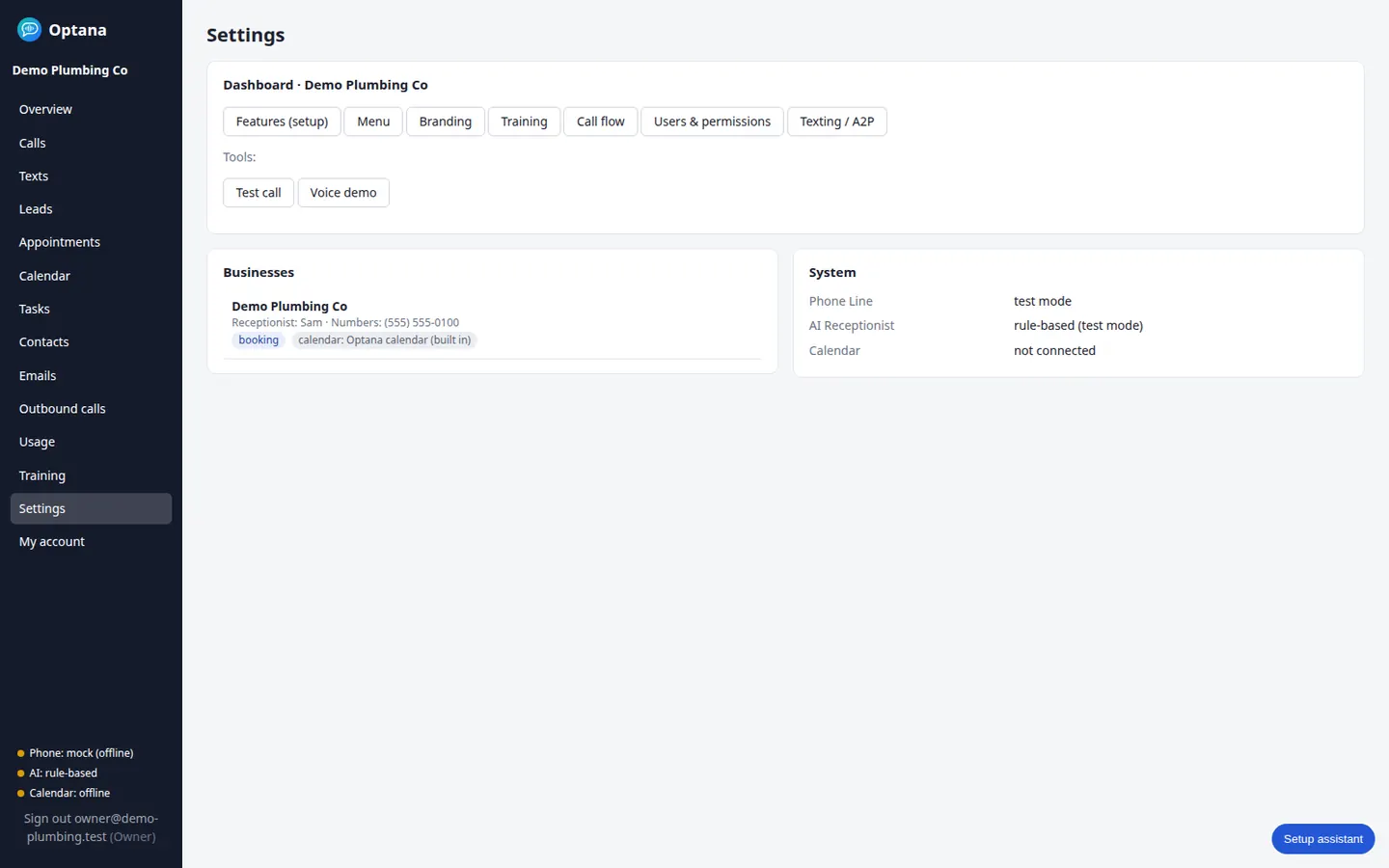
Greeting, hours, calendar, and the rest of the business live under Settings. Each account only sees its own business.
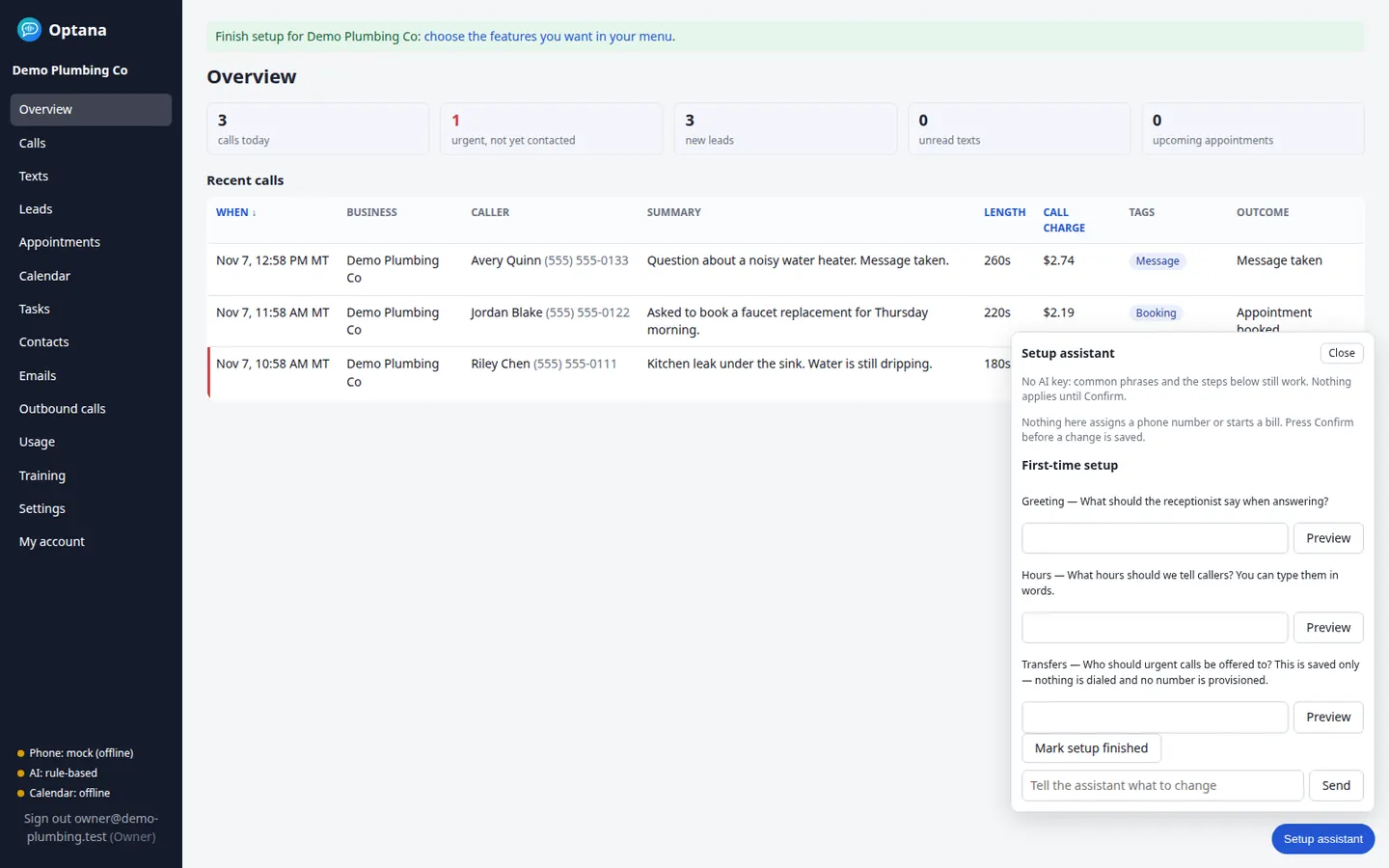
New accounts land here. The assistant opens once per business in a browser, then only when you click the button. Confirm before anything is saved.
Spam protection is included and on by default, so a new account is already turning junk away. Block a number from any call, and recorded callers are ended quickly. Those minutes are not billed. Home shows the calls blocked and about how many minutes that saved, without a per-call price on that screen. A premium check is off until you add it on Plan & pricing. Each of those checks is on your bill.
An optional add-on, off until you turn it on. The receptionist asks on the call, “Can we text you a confirmation and updates at this number? Message and data rates may apply; reply STOP to opt out.” A Send text block covers a missed-call text-back, an appointment confirmation, or a follow-up. You can also text the caller from the call page. The first text includes “Reply STOP to opt out,” and STOP is honored. Inbound texts show on the contact and in the dashboard.